Manual Integration: WP_nav_menu
Replace the following code in the header.php file:
<div class="header-main">
   <h1 class="site-title"><a href="<?php echo esc_url( home_url( '/' ) ); ?>" rel="home"><?php bloginfo( 'name' ); ?></a></h1>
   <div class="search-toggle">
      <a href="#search-container" class="screen-reader-text"><?php _e( 'Search', 'twentyfourteen' ); ?></a>
   </div>
   <nav id="primary-navigation" class="site-navigation primary-navigation" role="navigation">
      <button class="menu-toggle"><?php _e( 'Primary Menu', 'twentyfourteen' ); ?></button>
      <a class="screen-reader-text skip-link" href="#content"><?php _e( 'Skip to content', 'twentyfourteen' ); ?></a>
      <?php wp_nav_menu( array( 'theme_location' => 'primary', 'menu_class' => 'nav-menu' ) ); ?>
   </nav>
</div>
<div id="search-container" class="search-box-wrapper hide">
   <div class="search-box">
      <?php get_search_form(); ?>
   </div>
</div>
With the following –
<?php wp_nav_menu( array( 'theme_location' => 'primary', 'menu_class' => 'nav-menu' ) ); ?>
Take note: Menu location
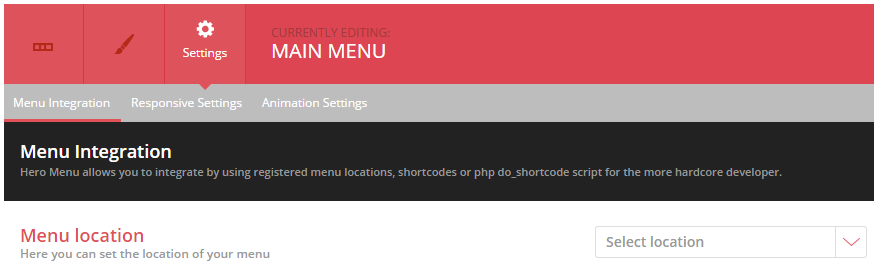
If you choose to use the wp_nav_menu example, remember to set your menu location under the settings tab in the HeroMenu. Navigate to Hero Menu » Select Menu » Settings » Menu Integration
Example of menu location settings: